Security Settings
CityCity keeps the login-security settings for your agency and its companies in two places: the agency Security page (defaults for every company under the agency) and the company Security page (a per-company override).
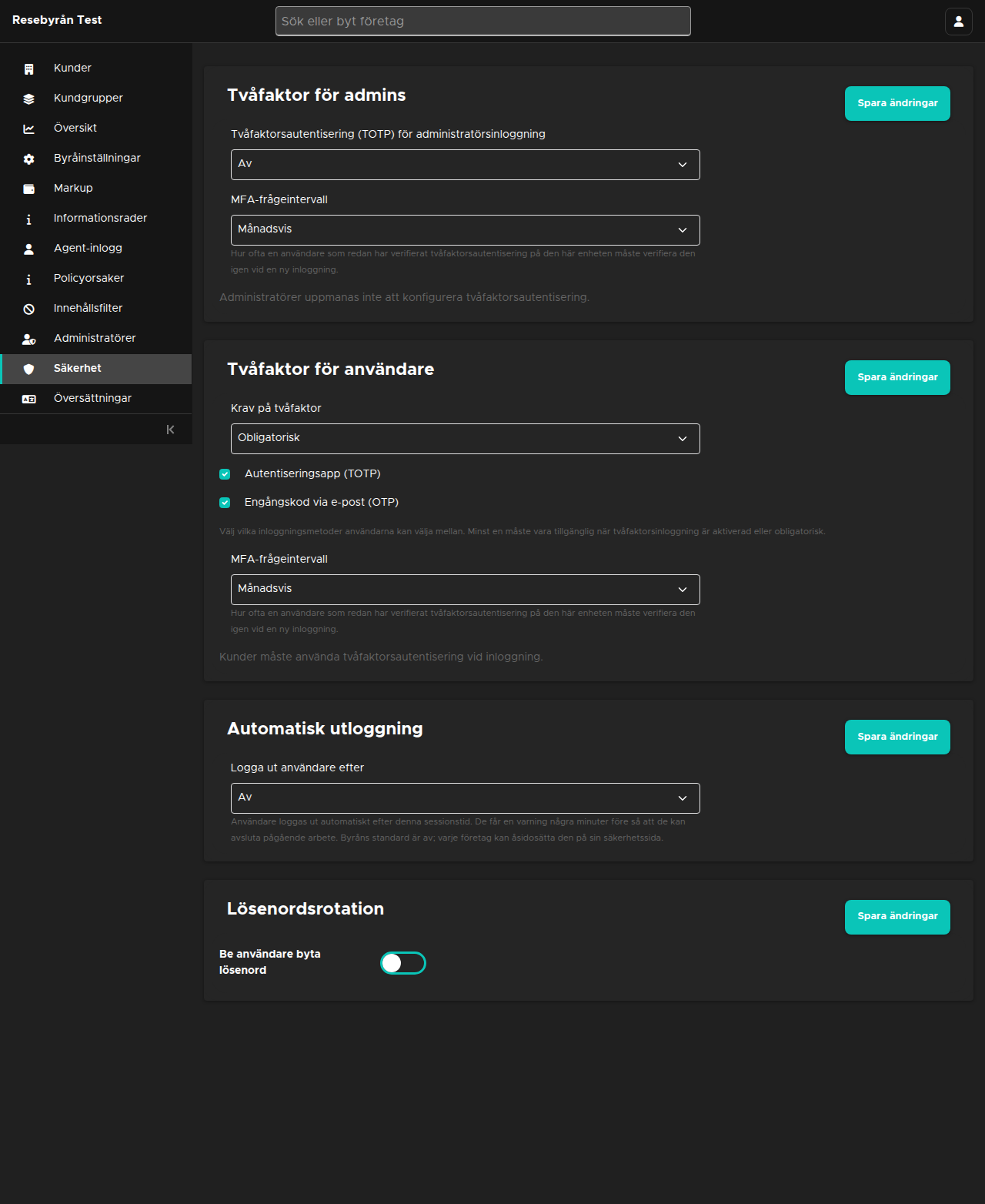
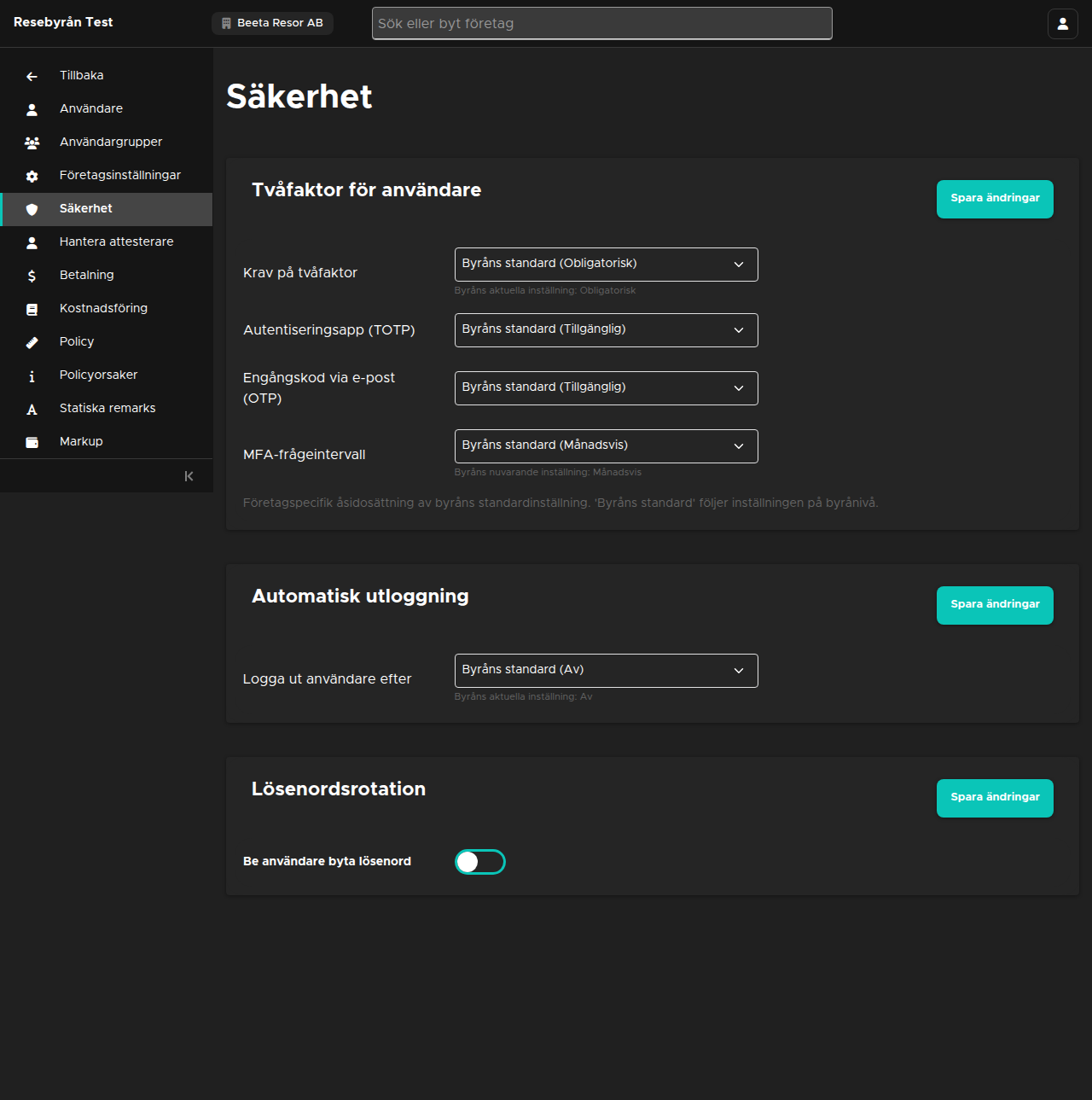
Where each setting is configured
- Two-factor for admins — Agency Security page only. See Admin two-factor login.
- Two-factor for users — Agency Security page (default) and company Security page (per-company override). See Customer two-factor login.
- Auto-logout — Agency Security page (default) and company Security page (per-company override).
- Password rotation — Agency Security page (default) and company Security page (per-company override).
Agency Security page
Navigate to Security in the agency sidebar. Each card has its own "Save changes" button:
- Two-factor for admins — whether admins of the agency must log in with an authenticator app (TOTP): Off, Optional or Required.
- Two-factor for users — the agency default for customer logins: "Two-factor requirement" (Off, Enabled (users can opt in) or Required), plus which methods users may choose ("Authenticator app (TOTP)" and "One-time code via email (OTP)") and how often a verified device must re-verify ("MFA prompt interval": every time, daily, weekly or monthly).
- Auto-logout — "Log out users after" off, 30 minutes, 60 minutes, 2 hours or 24 hours. Users get a warning a few minutes before.
- Password rotation — whether users are asked to rotate their password, how often (in months), and whether the rotation is enforced or only requested.
Company Security page
Open a company and navigate to Security in the sidebar (visible to superusers only). The company page holds the cards the company can override: Two-factor for users, Auto-logout and Password rotation.
Every select offers "Agency default (…)" as its first option. Leave a field on Agency default to follow the agency-level setting; choose another value to tighten or relax it for this company alone. The current agency value is shown under each select.
At least one two-factor method must remain available whenever two-factor login is enabled or required — the page refuses to save a configuration without one.
How the settings combine
The effective setting for a company is always: company value if the company set one, otherwise the agency value. Nothing changes while both methods are Off (the default): logins behave exactly as before, and per-user two-factor states are listed on the company Users page, where an admin can also reset a user's two-factor authentication.