Customer Two-Factor Login
Customers can log in with a second factor on top of their email and password: a one-time code sent by email (OTP) and/or a six-digit code from an authenticator app such as Google Authenticator (TOTP).
Each method is configured on the Security settings pages: the agency Security page holds the default ("Two-factor requirement": Off, Enabled (users can opt in) or Required, plus which methods are available), and the company Security page (superusers) can override it per company.
What a Required login looks like
With a method set to Required, the login no longer stops at the password:
- The customer enters email and password as usual.
-
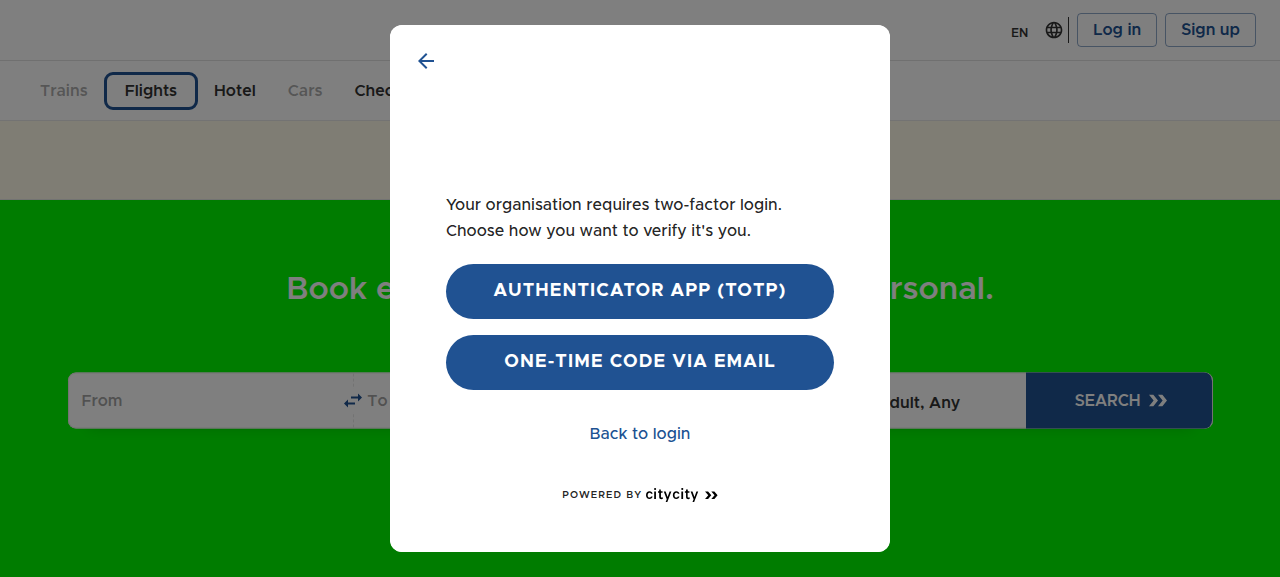
If more than one method is available, they choose one:
-
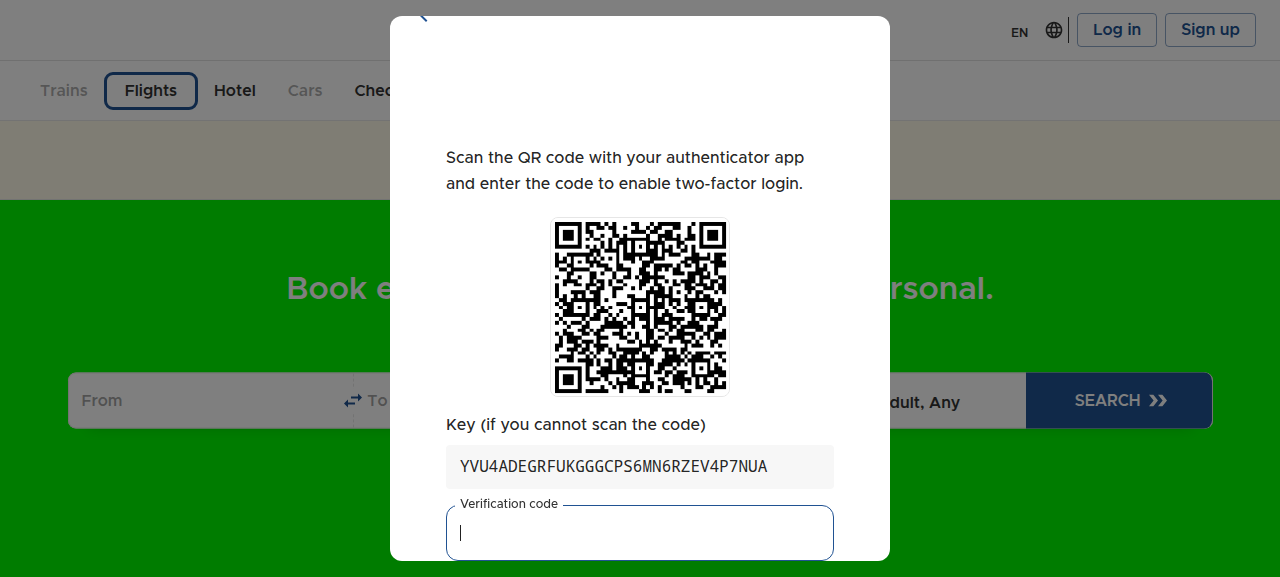
First time with an authenticator app: scan the QR code (or enter the key manually), then confirm with a code from the app:
-
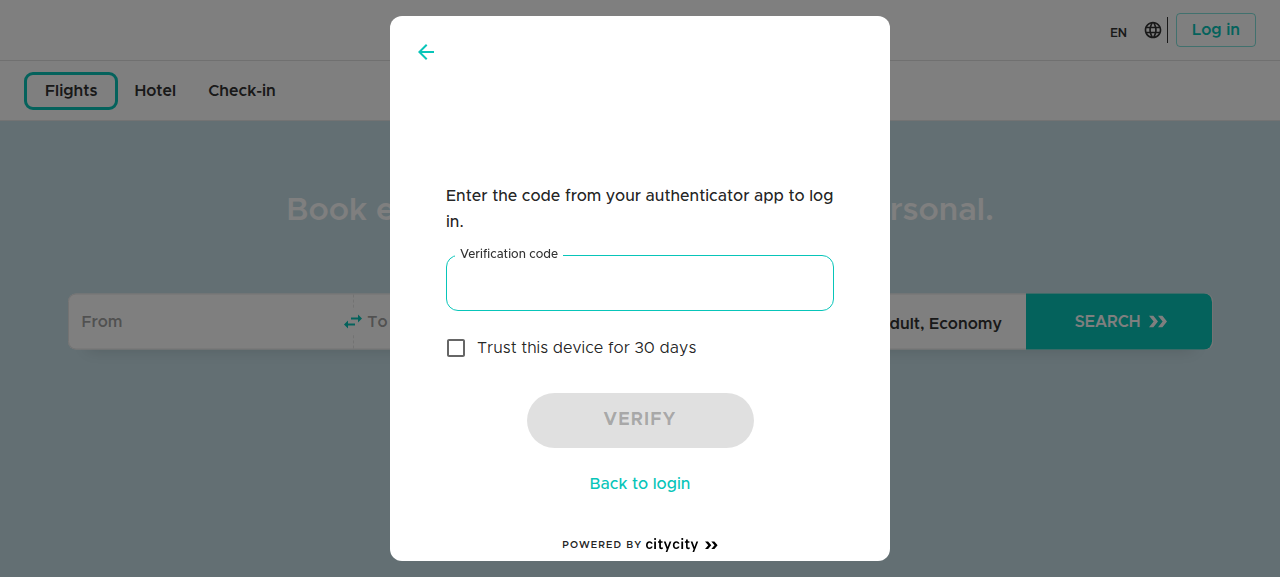
On later logins, only the code from the authenticator app is asked for:
With email OTP the customer instead receives a one-time code by email after the password step, and can request a new code from the login dialog if it does not arrive. Codes are six digits and the endpoints are rate-limited to stop guessing.
The "Trust this device" checkbox (shown for daily, weekly or monthly prompt intervals) skips the second factor on that device until the interval expires — the password is still required every time.
With a method set to Enabled (users can opt in), login works as before and the customer is merely encouraged to enable two-factor from their profile.
Managing it yourself: Login & security
Each customer manages their own second factor under Login & security in their profile:
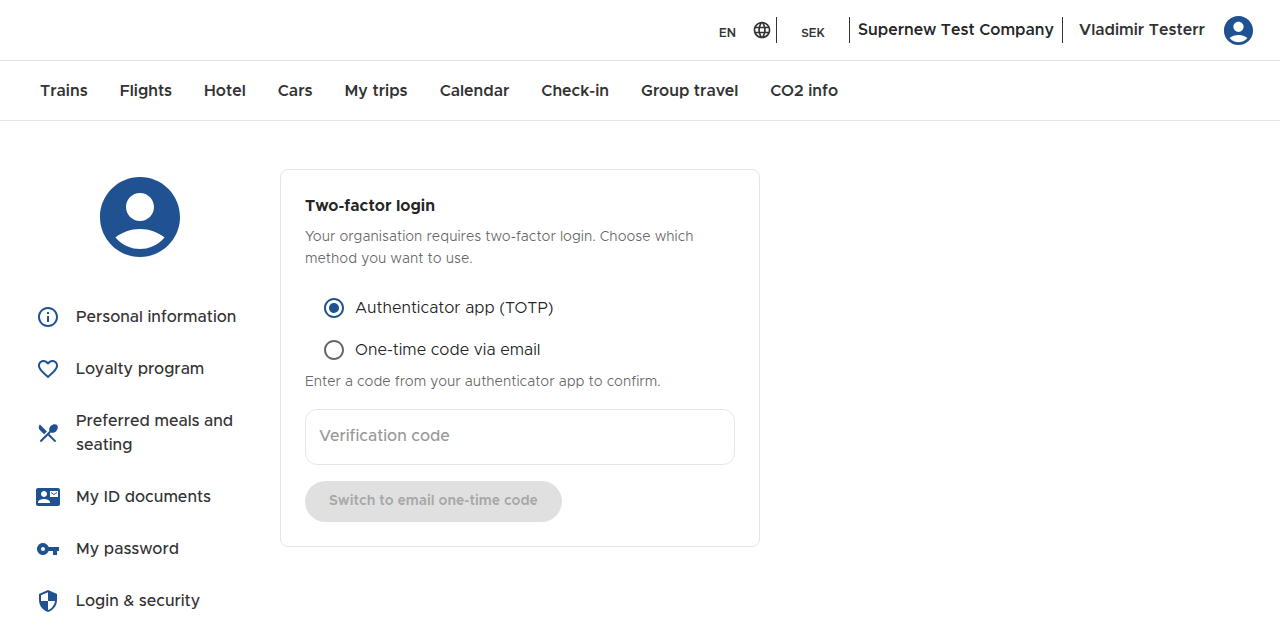
- Choose Authenticator app (TOTP) or One-time code via email and follow the setup.
- Switching method (or turning two-factor off, where the policy allows it) asks for a code from the current authenticator app, so a stolen session cannot silently remove the second factor.
- While a method is Required, the page does not offer turning it off.
An admin can reset a customer's two-factor authentication from the company Users page; the customer can then set it up again from their profile.